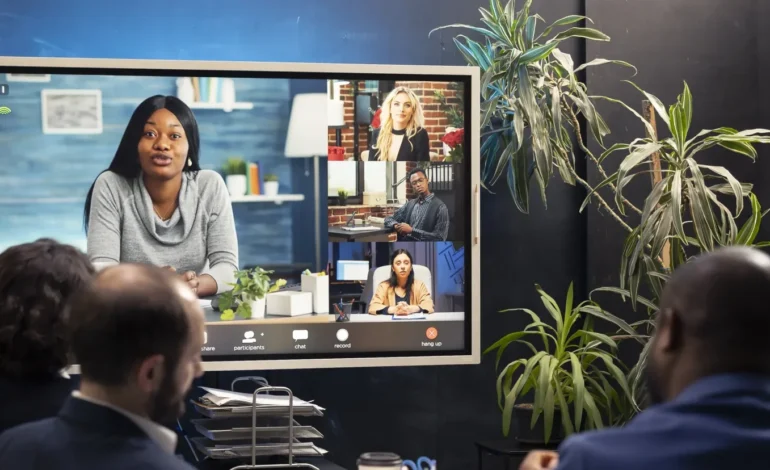
You once had to show up live to share your ideas. Now, your digital twin can do it for you. Welcome to an era where you don’t always need to rely on your physical presence to express your insights, lessons, and perspectives. Your AI avatar can host the show—whether you’re a life coach sharing Monday motivation, a marketer decoding trends, or an educator simplifying complex topics. It’s smarter, more scalable, and surprisingly effortless. Tools like Pippit make it excitingly simple to build a strong thought-leadership presence through a lifelike avatar.
Your audience still receives your ideas and personality—just through a fresh medium. With a script, a custom avatar setup, and a link to share, you can deliver weekly insights, tutorials, or takeaways in a format that’s always consistent and always available. So let’s uncover why avatar-based office hours are taking off—and how you can lead this new wave of content creation.
Thought Leadership Goes Virtual
In a world overflowing with content, audiences don’t just want expertise—they want style. They expect consistency, yes, but also creativity that grabs attention. Video remains the strongest format for that. And avatar-led video now lets you show up regularly without turning on your camera every single time.
This isn’t about losing your authentic voice. In fact, your avatar helps make your communication more polished, more consistent, and even multilingual if you need it. Whether you’re building a knowledge library, sharing updates, or answering your community’s questions, avatars help you publish content quickly and professionally.
Who Can Use Avatar-Based Content?
Almost anyone with a message to share. But avatars especially shine in fields where trust, clarity, and frequent communication are key:
- Coaches: Weekly guidance, mindset shifts, habit check-ins
- Marketers: Trend snapshots, campaign updates, tool demos
- Educators: Short, digestible lessons or student Q&A
- Consultants: Market insights, strategy tips, how-tos
They’re also great for hybrid teams and solo creators who want polished videos without spending hours on lighting, retakes, or editing.
Why Avatars Outperform Static Content
Sure, you could post a quote card or a text caption. But avatar videos build a stronger presence and deeper connection. Here’s why they work so well:
- Human-like delivery: Natural expressions, tone, and pacing
- Efficiency: Batch-produce multiple videos without being on camera
- Accessibility: Add captions, voiceovers, and easy translations
- Versatility: Reuse the same avatar across reels, emails, tutorials, product updates, and more
With photo-to-video AI, you can even animate a still image into a dynamic, expressive video host—consistent, creative, and uniquely yours.
Lights, Camera… Clone Me? Your Avatar Workflow in 3 Steps
Your avatar becomes part of your brand identity—distinct, recognizable, and memorable. Before producing content, refine how your avatar looks, speaks, and moves. Treat it as your digital signature.
Create and Share Avatar Videos with Pippit
Here’s how to start producing professional avatar-based videos:
Step 1: Choose Your AI Avatar
Log in to Pippit and open the Video Generator from the left menu.
Click Avatars under Trending Tools to browse a range of options—categorized by gender, age, style, and environment. Some allow you to upload your own media or use product links for even more flexibility.
Once you’ve selected an avatar, open the Settings tab to adjust facial features, tone, gestures, and more. You don’t need to finalize everything upfront—Pippit lets you refine your avatar even after the video renders.